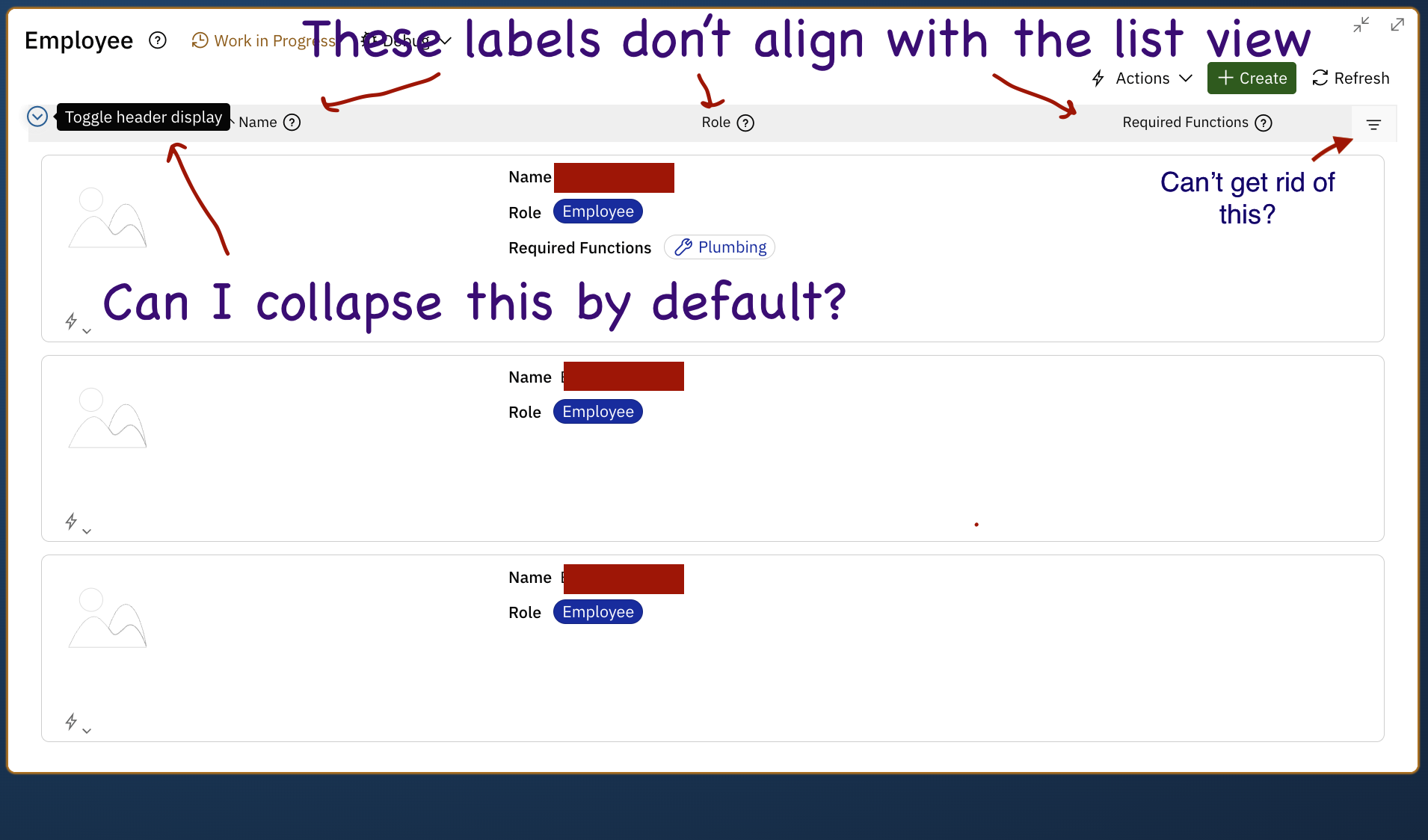
Dashboard Card Chrome Option field impact to application header rows

I have a Dashboard card where I just want the header rows for lists on my detail form and pretty well nothing else.

I’ve configured the Card’s Chrome Option field to hide most everything except the Header. It looks great for the subtables and inline applications on my detail form but the List form column labels don’t line up with the display for the list form. The fields are technically accurate but vertically/horizontally are not accurate to what someone sees. I also can’t seem to rid myself of the Quick Filter.

So 3 questions

  1. Can I Hide column/header labels on list form but not detail?
  2. If not, can I default collapse them?
  3. Is there a configuration I am missing which would allow me to hide the Quick filter
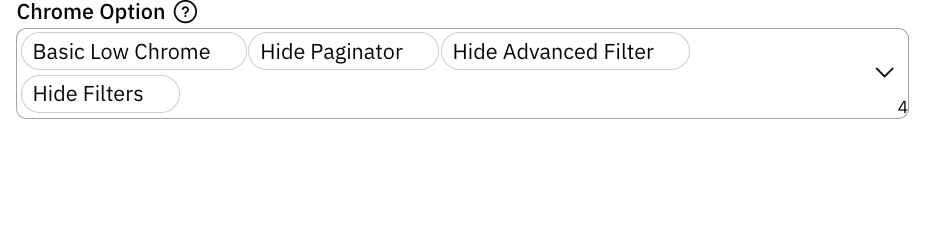

  1. I believe the Chrome Option currently applies to only the list form (there might be issues with card style lists which might explain why the filter fields are not displaying in your screenshot but the filter labels are shown). If you are a Nextworld customer or partner, work with your system administrator to submit a ticket with customer support, who will file a bug on your behalf. Include a link to this post in the ticket. If you’re not a Nextworld customer, keep an eye on release notes. We’re always making improvements.
  2. The platform doesn’t support that exactly, but in one one of the recent releases, it now persists to user settings so once a user collapses it, that same app remembers it being collapsed. I don’t believe there is currently any way to collapse it by default.
  3. See answer 1 above.