Do you have any tips on how to ensure the debugger window opens when attempting to debug? It’s not a consistent issue, but it does happen and once it doesn’t launch, it’s difficult to get it to launch again.
Do you have any advice/suggestions on how we can ensure the debugger window is launched when we do have this issue?
Thank you
Hi Claire! I do not have any recommendations for getting the window to consistently launch automatically. Inconsistency there is a bug which you can work with support to get prioritized.
What I can share is how to access Debug manually for when this does occur:
- Navigate to “Logic Block Builder”
- Open any logic block
- Click the “Debug” toggle:
This will pull up the Debug window. From there, it will connect automatically to your debug session and route you to the correct logic block. If it doesn’t connect automatically for some reason, you can try clicking the Refresh button to get it to connect.
Great thank you, @brendan.b !
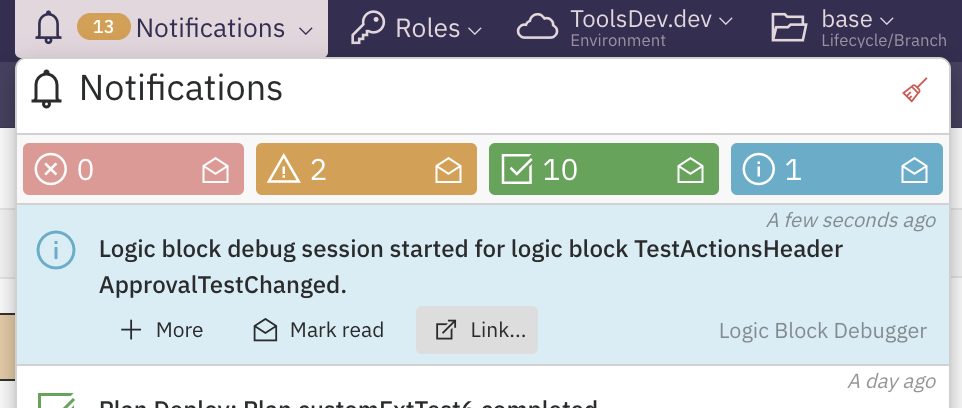
One tip that I have is to check your notifications once you see that the debugger hasn’t launched. There should be a notification regarding the debugging, and on that notification there should be a link. Clicking this should launch the debugger in a new window. This works for me sometimes when I have issues with the debugger.
Another tip I’ve done is, if I know I am going to repeatedly debug the same use case, I don’t close the initial window that opens in debug mode. I would cancel the session or if already completed, just refresh the session and it should pick up the new one and restart at the beginning.