In the NW Studio, if I am editing a logic block and want to go to the Logic Block Builder, when I click the Logic Block Builder link, I get directed to the Create Logic Block application.
Should the Logic Block Builder be able to be used from the Studio? We lose a bit of space (4 or so action lines) using the studio LB editor where it shows the LB name, description, etc.
Are you able to screenshot where you are accessing the Builder from? Wouldn’t need to see any detailed information. Just what the button itself looks like.
I don’t believe there are any supported links to the Builder that would launch into the Create (other than from the Dev Studio Explorer) but that depends on which version is being used for your environment.
Short answer, the Logic Block Builder Application should only launch inside Developer Studio. This was opt in for 25.1 through studio settings but is the standard for 25.2 and beyond.
You’re absolutely right that logic block builder in studio does cut into screen space. There are a few configuration options that can help with this, which I’ll detail below. We are also tracking an idea to implement a fullscreen/full browser window option for logic block builder, though I can’t guarantee when or if that will be implemented.
In the top-right corner of Studio, there is a “Maximize” button that will bring the logic block builder higher and hide the Favorites Bar and Developer Studio title as well as hide the Explorer panel
You can scroll down on the right side of the screen to partially hide the header row, but this admittedly doesn’t do much
You can collapse the left panel of logic block builder (the action panel) now that there’s full keyboard support for adding and editing actions, though it will need to be restored to access Version Management and Test Coverage, if needed. This provides more horizontal space, not vertical, but it can make some logic actions shorter within the center pane
Thanks Claire, that was/is one of the links I was referring to in the earlier post that will not be available as your environment upgrades. Understandably frustrating experience.
There are additional enhancements coming to Developer Studio as well as what Ross mentioned in the thread here. Keep an eye on release notes for new features !
On my day to day I use the maximized Studio option and only notice a difference of maybe 1-2 actions out of view when using the maximized view. I lose my favorites bar but since I can now set favorites in Developer Studio, those became less relevant. The added bonuses of controlling what logic blocks I have open, what order they are organized in, being able to add to the General Configuration details without save and being able to jump between different object types keeps me in Developer Studio most of my day.
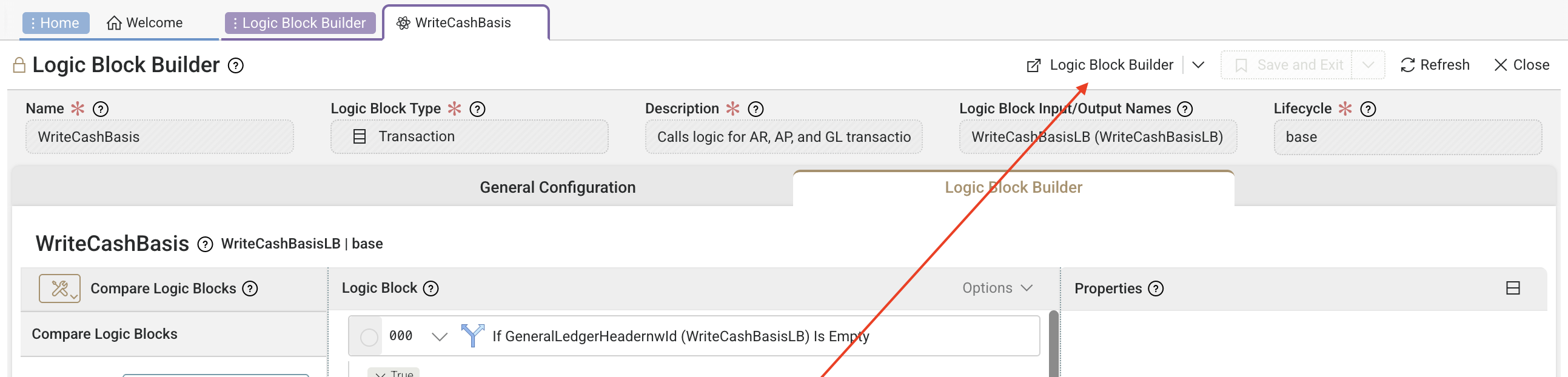
 !
!